

Pepperstone is a multi-regulated social trading platform that offers its services to clients all over the world. This detailed Pepperstone copy trading review will look into the available markets on the broker, social trading fees, regulations, trading platforms and many more.

Summary
Pepperstone is a CFD broker that was founded in the year 2010 in Melbourne, Australia. It has offices in London, Cyprus, Düsseldorf, Melbourne, Dubai and Kenya. The broker has over 400,000 traders around the world and transacts an average of $9.2bn of trades daily. Pepperstone offers its services to clients around the world, but it is restricted to clients in the US. Its activities are regulated by multiple regulatory bodies which include CYSEC, FCA, ASIC, SCB, DFSA, BaFin and CMA.
The broker’s account opening process is quite straightforward and it has a $10 minimum deposit. This Pepperstone copy trading review will focus on the broker’s copy trading fees, signal copying platforms, automated trading, users’ comments, and many more.
Regulations
Pepperstone entities are regulated by a number of regulatory bodies. These entities and their regulatory bodies are discussed below.
Pepperstone EU Limited: This is a limited company that is registered in Cyprus. It is authorized and regulated by the Cyprus Securities and Exchange Commission (CYSEC). Its registered office is situated at 195, Makarios III Avenue, Neocleous House, 3030, Limassol Cyprus.
- License Number: 388/20
- Registration Number: ΗΕ 398429
Pepperstone Markets Kenya Limited: Located on the 2nd Floor, The Oval, Ring Road Parklands, PO Box 2905-00606 Nairobi, Kenya, this entity is authorized and regulated by the Capital Market Authority (CMA).
- License Number: 128
- Registration Number: PVT-PJU7Q8K
Pepperstone Markets Limited: This entity of the broker is licensed and as well regulated by The Securities Commission of The Bahamas (SCB). It is situated at Sea Sky Lane, B201, Sandyport, Nassau, New Providence, The Bahamas
- License Number: SIA-F217
- Registration Number:177174 B
Pepperstone Limited (UK): This company is authorized and regulated by the Financial Conduct Authority (FCA). It can be located at 70 Gracechurch St., London EC3V 0XL.
- Company Number: 08965105
- FCA Registration Number: 684312
Pepperstone Group Limited (Australia): Located at Level 16, Tower One, 727 Collins Street, Melbourne VIC 3, this entity is regulated by the Australian Securities and Investment Commission (ASIC).
- Company Number: ACN 147 055 703
- AFSL Number: 414530
Pepperstone Financial Services (DIFC) Limited (Dubai): The Dubai Financial Services Authority (DFSA) regulates this entity. It is situated at Al Fattan Currency House, Tower 2, Level 15 – Office 1502A, DIFC.
- DFSA Registration Number: F004356
Pepperstone GmbH (Germany): This entity of the broker is situated at Neubrückstrasse 1, 40213 Düsseldorf, and is regulated by the Federal Financial Supervisory Authority (BaFin).
- Company Number: ΗΕ 398429
Pepperstone Copy Trading
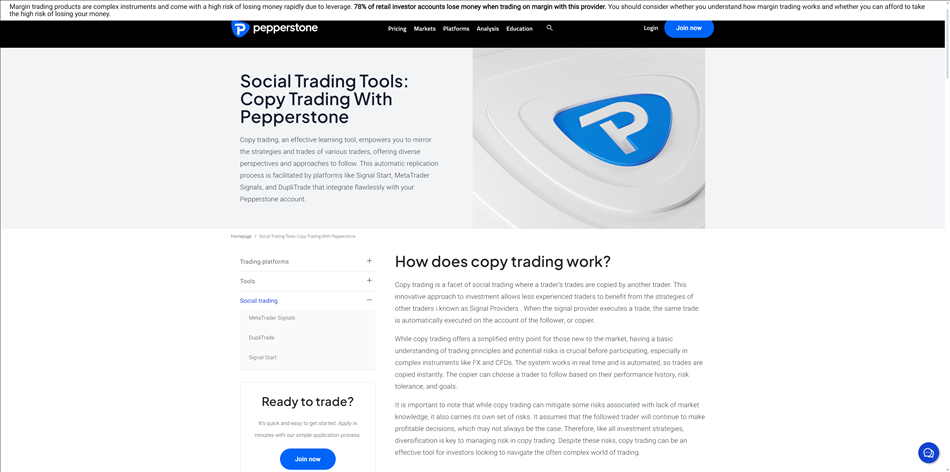
Copy trading can be defined as a way by which traders can use other expert traders’ knowledge in the financial markets to automatically open trade positions by copying positions opened and managed by these selected expert traders. It enables clients to learn from some of the best traders by automatically copying the trades and strategies of these traders.
Pepperstone is one of the trading platforms that offers social trading. The broker offers copy trading services through the MetaTrader Signals and Signal Start. With the help of strategy providers, clients can take out the guesswork from their trading journey as thousands of signals and trading strategies are made available to clients to choose from and execute in real time. Even while using strategies of strategy providers, users still have full control over their account as they can at any time close trades, change the stop-loss inserted, change capital allocation to a strategy, or remove the strategy at any time. There is no minimum deposit requirement for copy trading on the broker, however, there is a $10 minimum deposit on trading accounts. As for fees, both trade copiers and signal providers are to make payments, such as connection fee and subscription fees, which are paid by signal copiers and signal providers, respectively. More about copy trading fees will be discussed in the later part of this review.
Markets
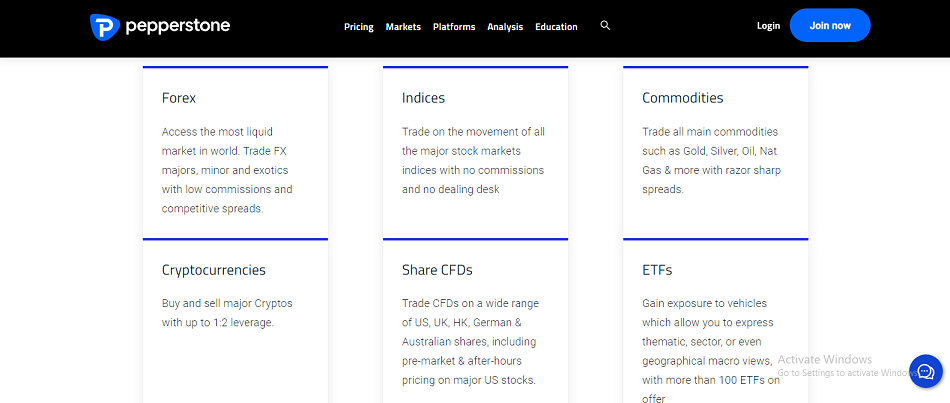
Pepperstone offers 1,200+ trading instruments to its clients, including 90+ forex pairs, 40+ commodities, 20+ indices and 900+ shares. Below is an overview of the trading instruments the broker offers.
Forex Pairs
The broker offers a variety of forex pairs ranging from major to minor, to crosses and exotic forex pairs. With a leverage of up to 1:400, clients are offered access to 90+ currency pairs and some of the pairs include: GBP/USD, USD/CAD and USD/JPY. As for retail traders in the EU/EEA region, the leverage available is up to 1:30 for major currency pairs and 1:20 for minor currency pairs.
Commodities
Pepperstone allows copy trading on commodities. With 40+ commodities which include US30, UK100, GER30 and many more at leverage up to 1:400.
Indices
Via indices trading, future price movement can be predicted on stock and currency indices without necessarily owning any underlying asset. Clients can copy trades on any index positions on Pepperstone. With 20+ indices on the broker, clients can use leverage up to 1:20.
Shares
Clients can copy trades of UK, US, AU and German shares with low commissions on Pepperstone. The company offers 900+ Share CFDs to users with leverage up to 1:20 for global traders and up to 1:5 leverage for traders in EU, UK and AU.
Pros and Cons of Copy Trading on Pepperstone
Below are some of the advantages and disadvantages of copy trading on Pepperstone:
Pros
- Low Fees.
- Automated Trading.
- Access to Multiple Signal Providers.
- Access to Multiple Strategies.
- Full Control of your Copy Trading Account.
Cons
- No Proprietary Copy Trading Platform.
Pepperstone Social Trading Fees
Pepperstone does not require any minimum deposit to access its copy trading services, but trade copiers who are interested in copying signals will have to pay a sum of $25 for connecting their account to a signal provider. The subscription fee charged by signal providers could range from $30 to $500. Signal providers are charged 30% of their set subscription fee. These fees are charged by Signal Start and not Pepperstone.
Pepperstone MT4
Pepperstone does not have a proprietary copy trading platform, but other trading platforms such as MT4 and MT5 can be used to copy trade. In this section of the review, we will focus more on the MT4 trading platform.

MT4 Desktop Platform
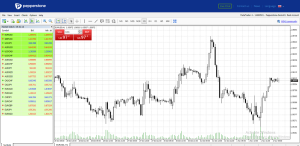
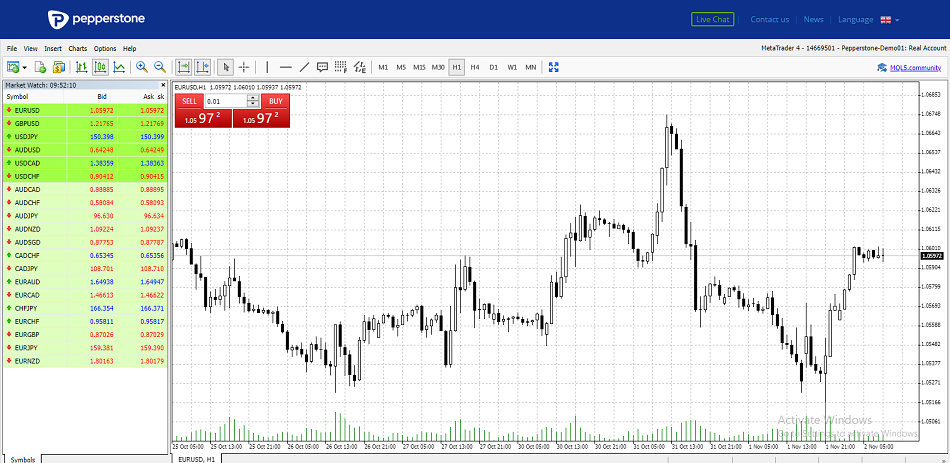
The MT4 is a user-friendly platform where users can have multiple functions such as buy limit, sell limit, buy stop, sell stop, buy stop limit and sell stop limit and many more. Traders can easily set parameters such as: buy/sell stops and limits, alerts, trade sizes, and more. Here are some of the features of Pepperstone MT4 trading platform.
Design
The design of the MT4 has some interesting features such as multi chart windows and many more.

Features
Built with flexibility, the MT4 desktop platform allows users to move windows around to suit their needs.

Charting Tools
The platform comes with a whole load of great charting tools ranging from trend lines, to indicators such as the CCI, Envelop, Bolinger bands and many more.

How to Open an Account and Copy Trades on Pepperstone MT4 Desktop Platform
- Go to Pepperstone broker’s website (www.pepperstone.com) and click on “Join now”.

- Next, select “continue with email” or any preferred.

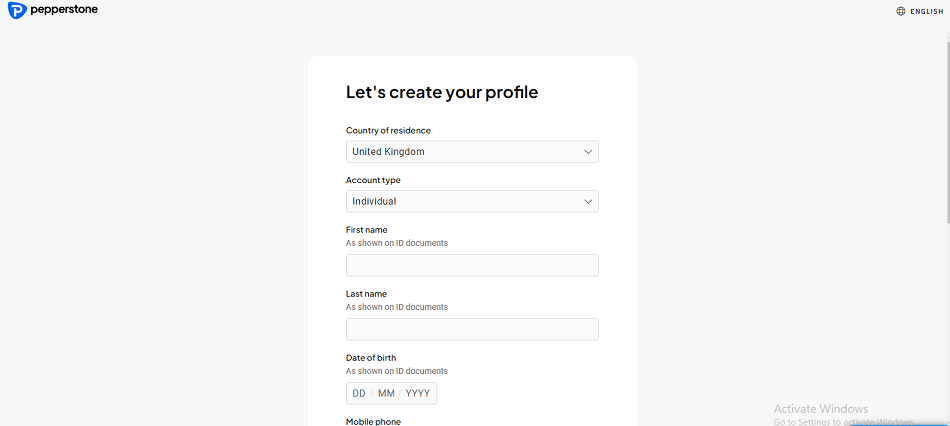
- Select your country or residence and account type. Then input your first name, last name, date of birth, mobile phone number, email address, password and click on continue.

- Next, choose between “setup a live account” and “demo account”.

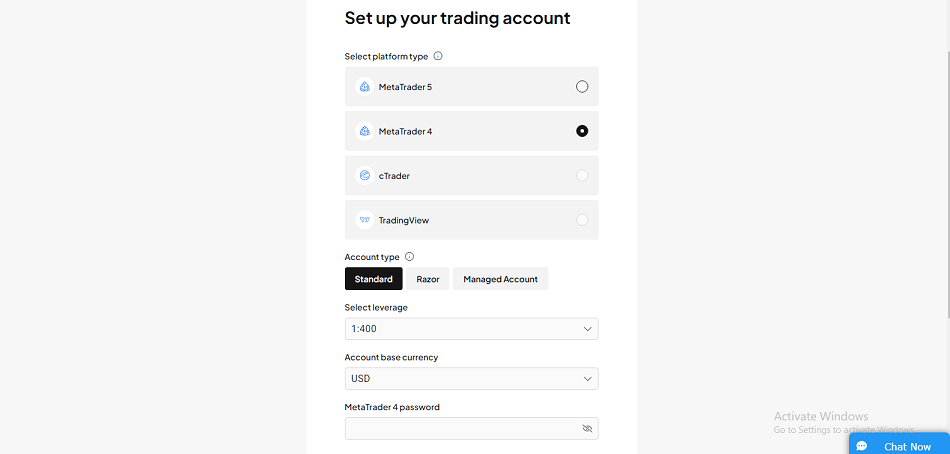
- Choose your preferred platform type, account type, leverage, account base currency, input your password and click on “Continue”.

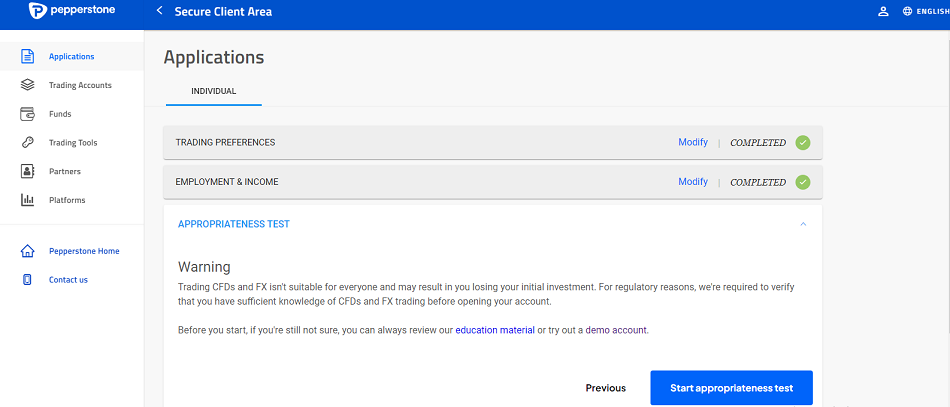
- Fill in your employment and income details, select your forex trading experience level and click on “Continue”.

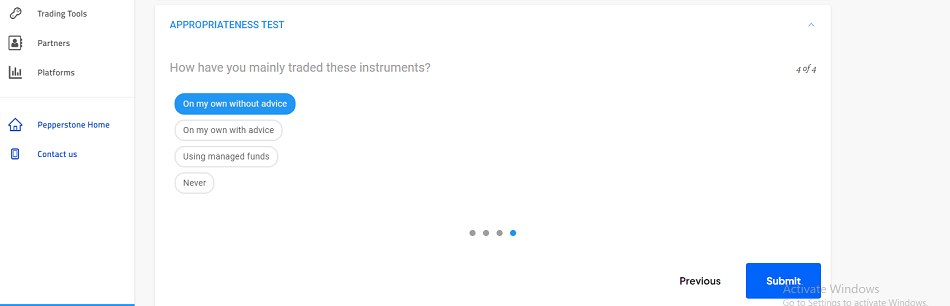
- Next, click on Start appropriateness test.

- Select the option that best answers each appropriateness question for you and click on next and then submit.

- Next, confirm your previous submitted details, input your address information and select your preferred identity document. Click on Continue.
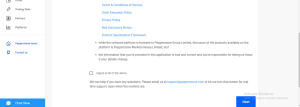
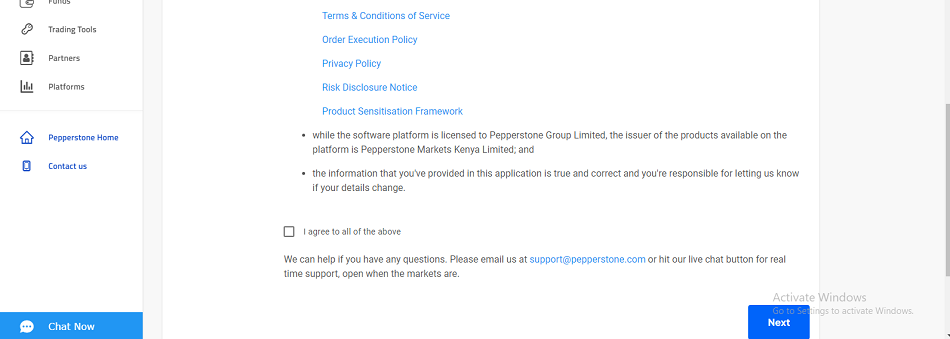
- A declaration page will pop up on your screen, after reading the provided legal documents, tick the “I agree to all of the above ” box and click on next.
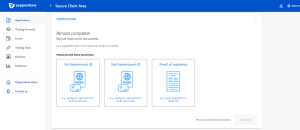
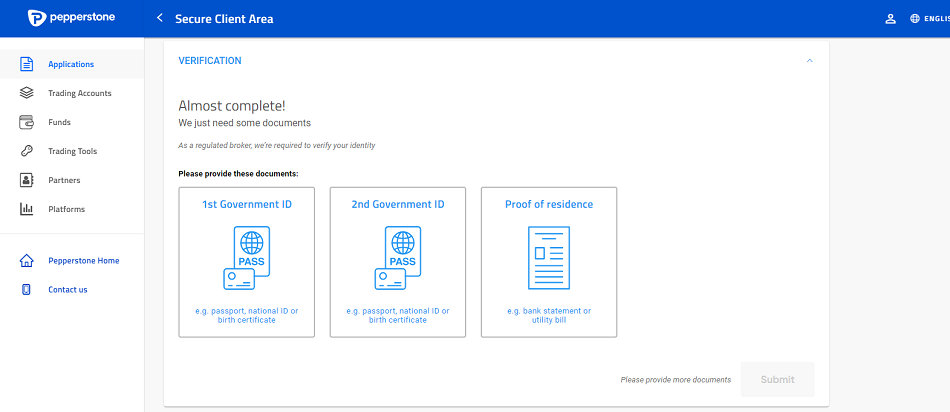
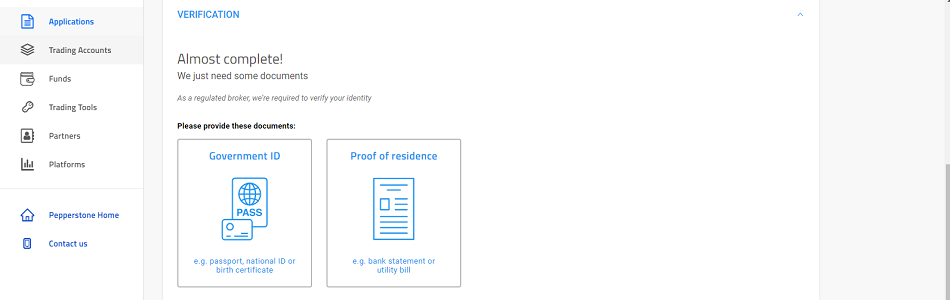
- Next is the document verification. Upload your government issued ID and Proof of residence and submit.

- To make a deposit, click on “Fund” by the left side of your dashboard. Select your preferred medium of deposit and make a deposit.






To start copying signals or providing signals, follow the steps below:
- After registering a Pepperstone account, go back to the homepage, select “Platform” and click on Social Trading.

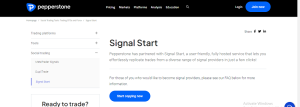
- Scroll down, select “Signal Start” and then click on “Start copying now”.
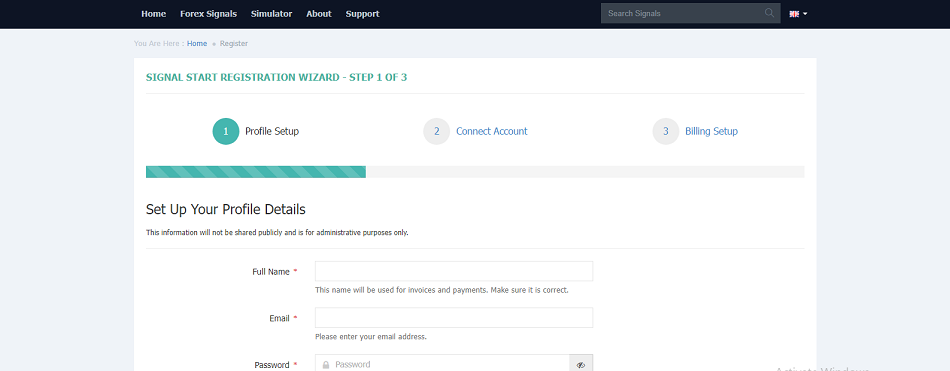
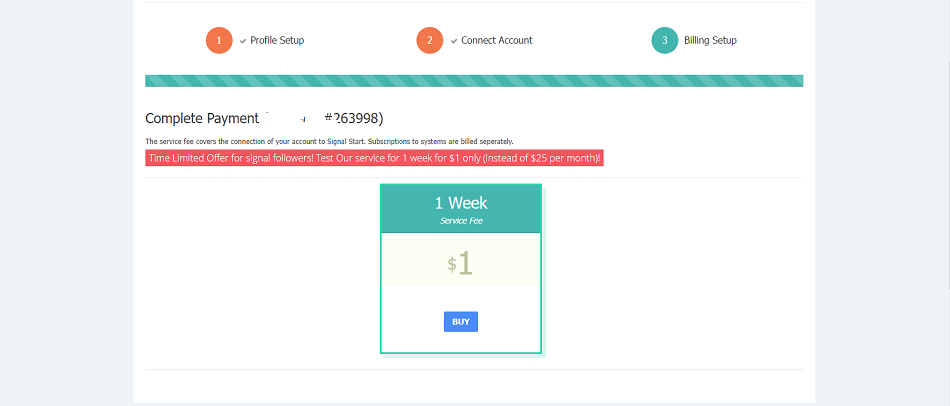
- Now you start your signal registration by first setting up your profile. Type in your email address, full name and also your password. Input the captcha and click on continue.

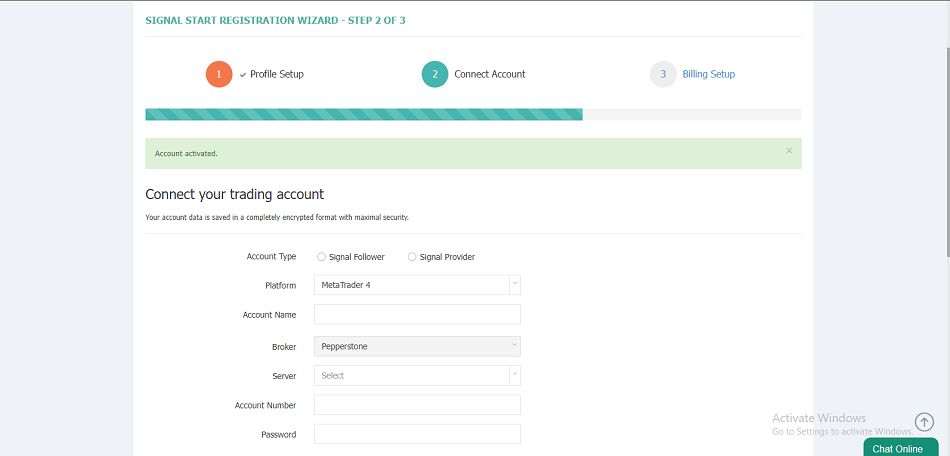
- To connect your account, you will choose between “Signal follower” for clients who want to copy trades or “Signal provider” if you wish to be a signal provider. Next, select your preferred trading platform, input your name, server, trading account name and password. Click on continue.

- To set up your billing, click on “BUY”.

- Select your preferred payment method, read the terms and privacy policy documents and tick the box. After doing all that, click on “BUY”.

- Fill in your payment details and click on “Pay”.

- Now go to “Forex Signals”, use your personal criteria to filter the multiple providers available. Click on “Copy” when you find the providers you’re satisfied with.

- Remember to set up risk parameters including any restrictions on volume, drawdown, number of trades, as well as on other variables available.



MT4 Mobile App
Like the MT4 desktop platform, the MT4 mobile app is a user-friendly app. Users can easily place and manage trades on their mobile phones. The Pepperstone MT4 mobile app comes with a number of features and in this section of the review, we will briefly look into these features.
Design
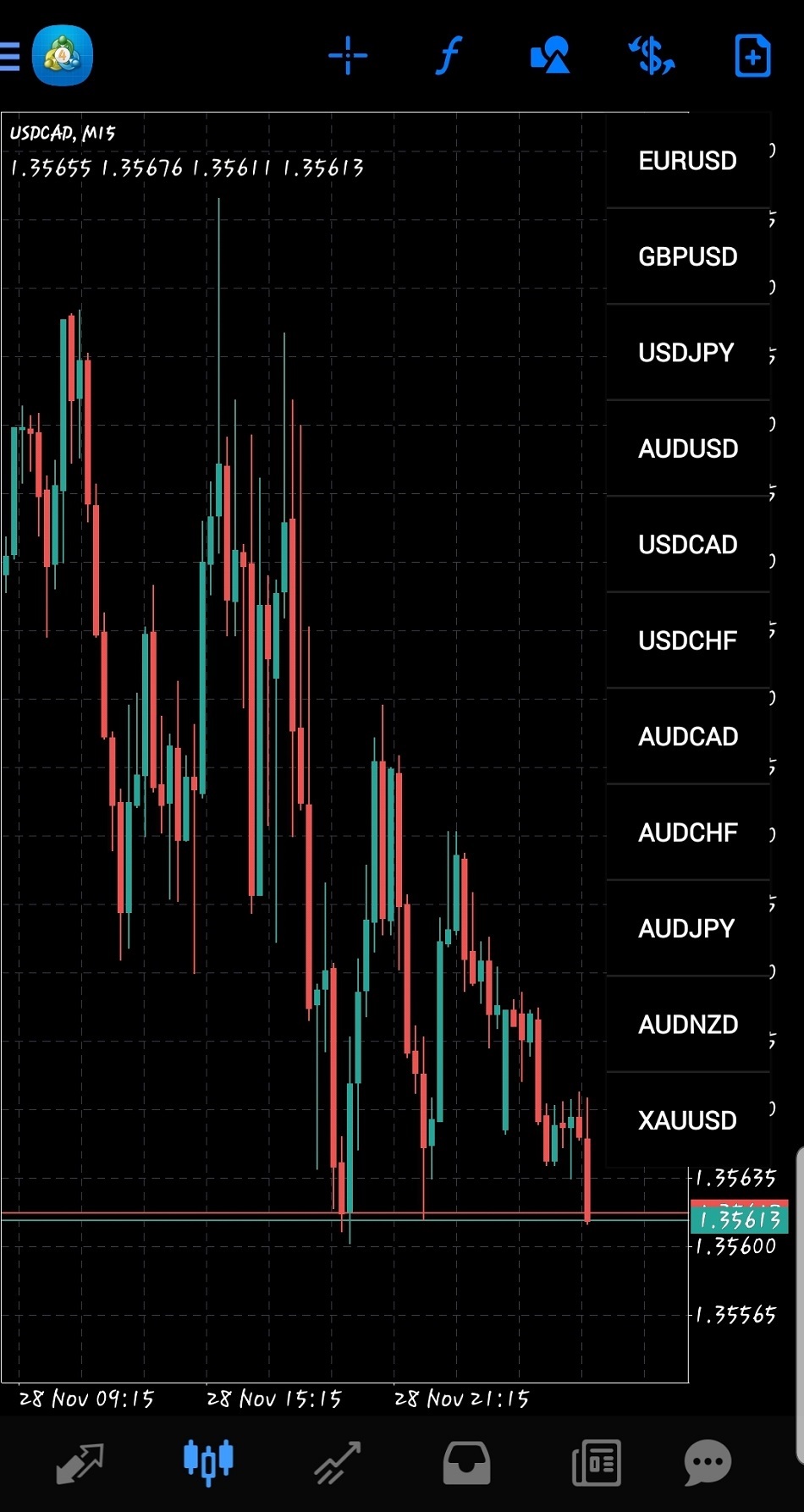
The MT4 mobile app design is simple and authentic. It is built in a way that makes it very easy for users to navigate around the platform.

Features
The features of the platform are very flexible. It even comes with an easy navigation feature that helps users to easily switch between charts of trading instruments with just a touch on the screen as well as other great features.
Charting Tools
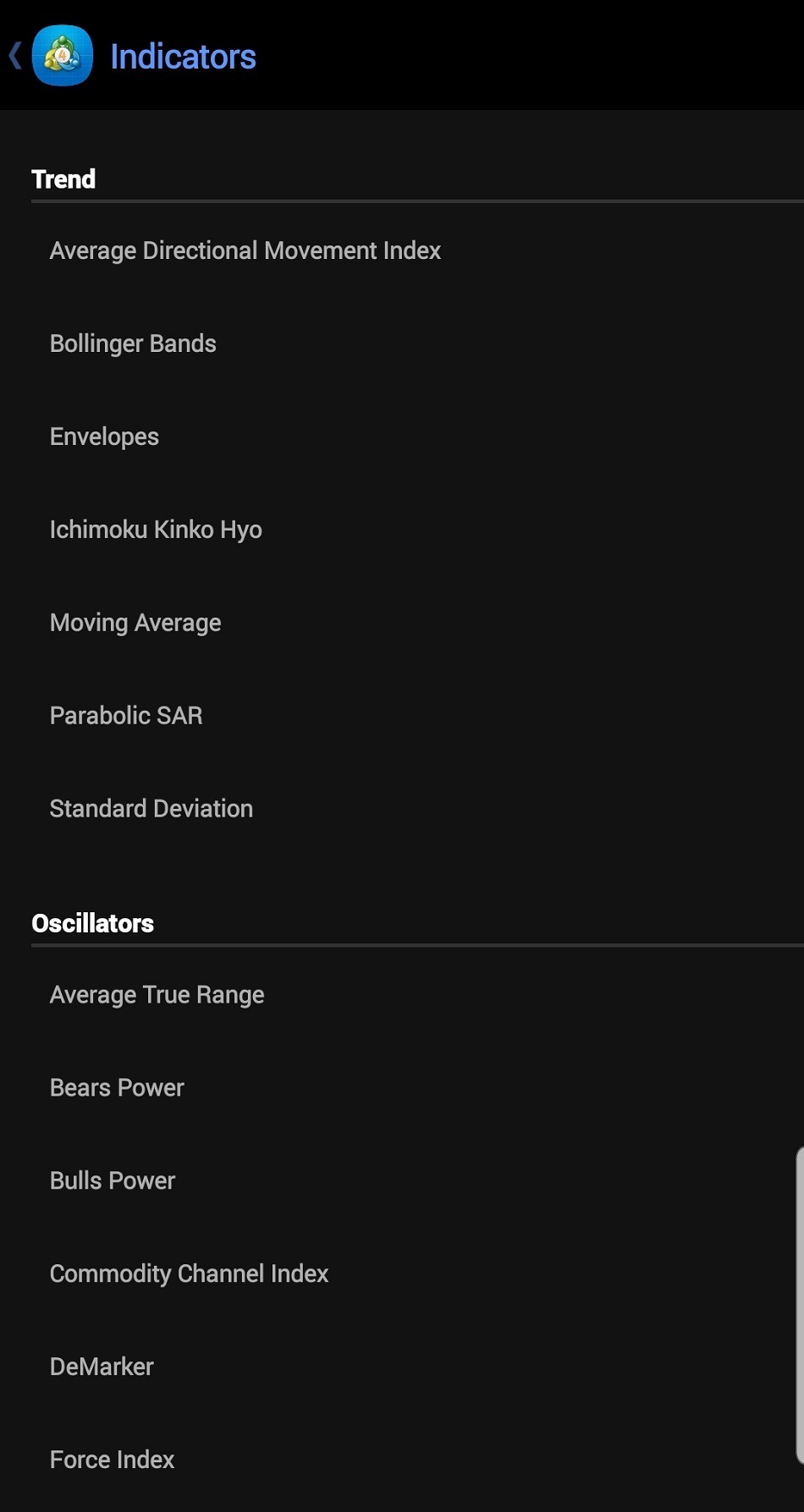
There are a lot of charting tools that accompany the MT4 mobile app. Among them are Objects, Trend lines, Volumes, Oscillators and many more.
How to Copy Trades on Pepperstone MT4 Mobile App
- Follow all the steps in the above section on how to create a Pepperstone trading account.
- Next, follow the steps on how to start copying signals or providing signals.
- Next, go to google play store or apple store to download and install the MT4 mobile app.

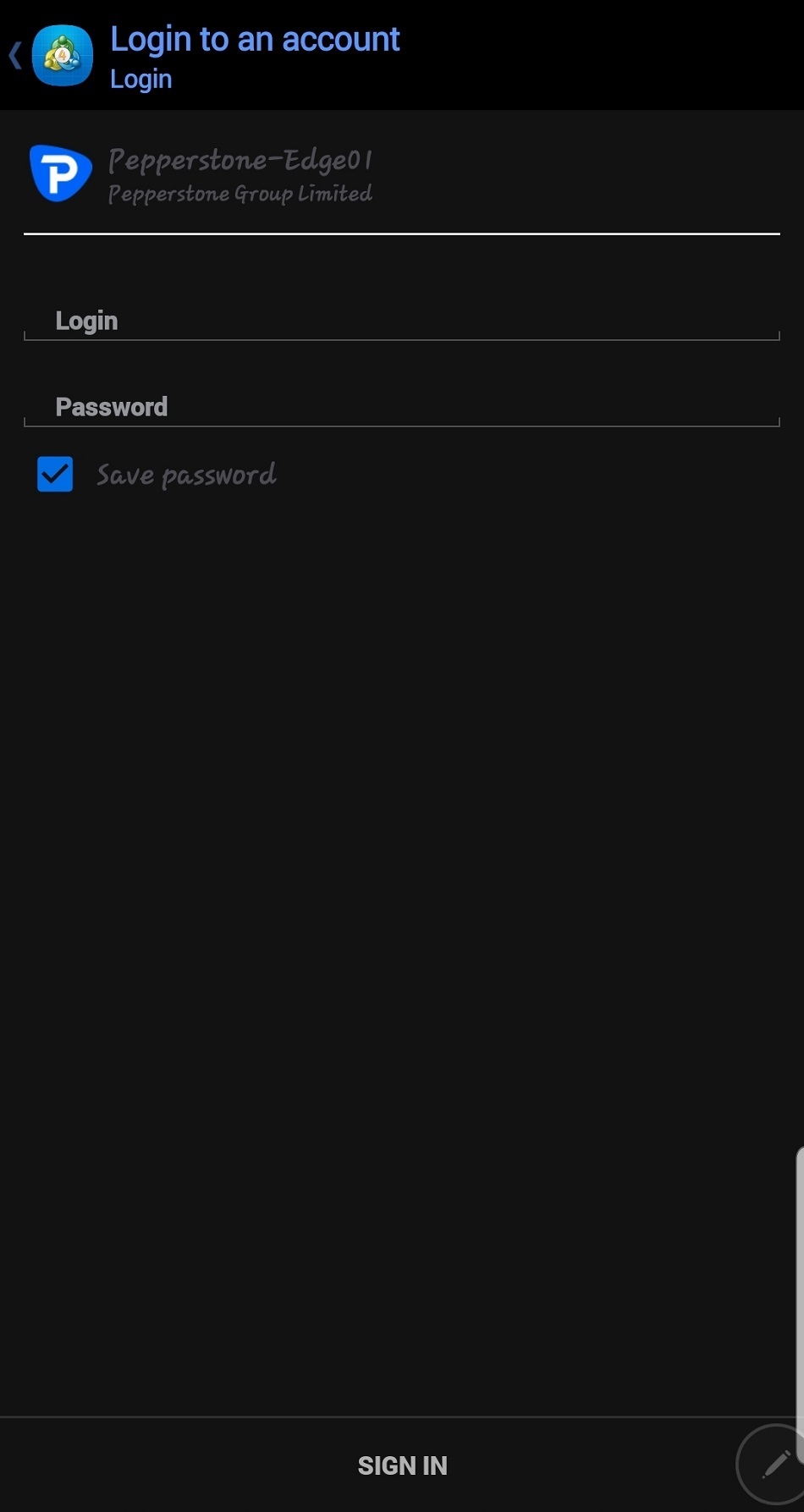
- Open the MT4 app and click on the plus sign. Select “login to an existing account”.

- Search for the broker’s server, input your login details and click on “Sign in”.

- After subscribing, the signals will be automatically copied and traded on your Pepperstone MetaTrader mobile account.



Automated Trading
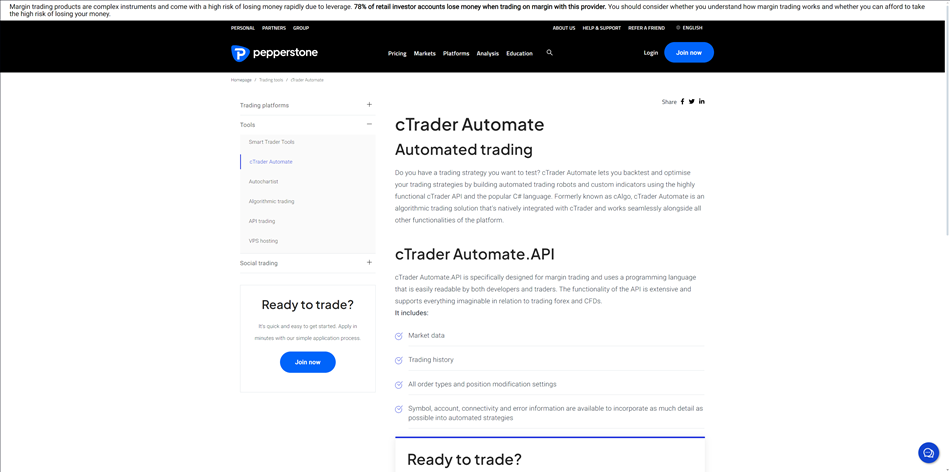
Automated trading is a way of trading that so many people around the world are beginning to accept and utilize. This system of trading is algorithm based and allows traders to execute and manage trades that have been analyzed and executed by selected software or professional traders. We will be looking at the various ways clients can optimize the automated trading functions offered by the broker in this segment of Pepperstone copy trading review.
Signal Start
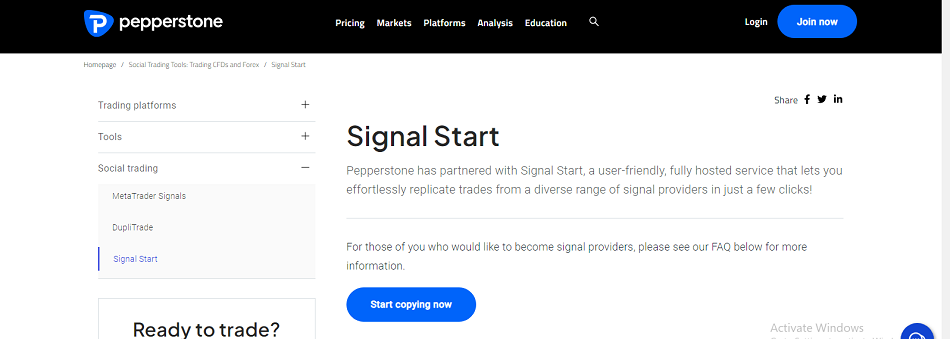
Pepperstone has partnered with Signal Start, which is a user-friendly, fully hosted service that allows users to effortlessly replicate trades from a diverse range of signal providers with just a few clicks. Some of the features of Signal Start include: exceptional support, round-the-clock assistance with 24/5 email and chat support, universal accessibility, cutting-edge technology, access to effortlessly copy trading from any device, robust and comprehensive analytics, comprehensive account insights, cross-platform compatibility, and seamless hosting, continuous account connection. It also runs on robust proprietary technology. One main advantage of Signal Start is that you do not have to keep your account/platform open. The service is connected to Pepperstone’s servers and there will be no interruption in trading activities.
To become a signal provider on Signal Start, a trader must have a balance of at least $100 in his/her trading account and must have executed at least 50 trades or traded for 30 trading days.
Signal Start does not accept clients from residents of Israel, Iran, Iraq, Lebanon, Syria or residents of any country or jurisdiction where its services or use would be against local law or regulation.
MT4 Signals
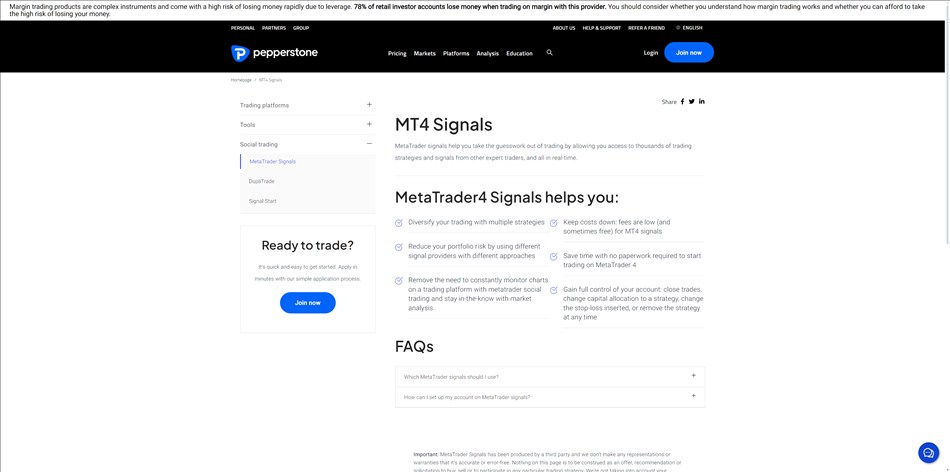
MetaTrader4 signals assist clients to take out the guesswork of trading by giving users access to thousands of trading strategies and signals from other expert traders, all in real-time. It helps traders to use multiple strategies to diversify their trading and helps reduce portfolio risk as a result of using different approaches provided by different signal providers. With metatrader social trading, you can stay-in-the-know with market analysis, which reduces the need to often monitor charts while trading.
Clients are also given full control over their account, as they can close trades, change capital allocation to a strategy, change the stop-loss inserted, or remove the strategy at any time.
Is Pepperstone Copy Trading Safe?
Pepperstone is a multi-regulated broker that segregates its clients’ funds with tier 1 banks. The broker is connected to another social trading platform, Signal Start, in addition to the MT4 signals. When using the Pepperstone MetaTrader signals, users must carefully select a signal provider as there are hundreds to thousands of them available. It is important for users to read up on each available option to determine whether they align with their risk parameters, goals, and expectations. It is a general rule in trading for traders not to risk more than they are willing to lose. So, clients are advised to align their risk parameters to help manage losses by setting automatic stop loss that works for them.
The broker also has an automatic stop-out system that closes trades when the margin requirement falls below 20% for MT4 and MT5 users and below 50% for cTrader accounts. But in fast market conditions where this automatic stop-out system is not triggered and the account falls into a negative balance, the broker offers negative balance protection to its clients.
In the bid to effectively protect clients’ accounts, the broker uses two-factor authentication (2FA). 2FA provides users with a higher level of security where clients have to use their password and google authentication code before their accounts can be accessed. The broker also claims to use the best antivirus system and patches and keep their system up to date, while also equipping its staff with training on security awareness so they don’t fall prey to scammers. Clients’ data handling process is strictly enforced.
Online Reviews
In this section of the Pepperstone copy trading review, we will be highlighting what online users have to say about the broker’s social trading services.
What Reddit Users Say About Copy Trading on Pepperstone
After reading through many comments about the broker on Reddit, we found no comments about the Pepperstone copy trading service on Reddit.

What Quora Users Say About Copy Trading on Pepperstone
Quora users made some good comments about copy trading on Pepperstone. Some users are of the opinion that the broker’s copy trading is one of the best in the industry. In the bid to encourage others to embrace copy trading, some users suggest that clients should use the copy trading services offered by Pepperstone.

TrustPilot User’s Review About Copy Trading on Pepperstone
On TrustPilot, there are no comments about Pepperstone copy trading, but the general rating of the broker is impressive. The broker has over 2,084 total reviews with a rating of 4.5 stars.

ForexPeaceArmy User’s Review About Copy Trading on Pepperstone
Just like on Trustpilot, there are no comments about the Pepperstone copy trading service on ForexPeaceArmy. The general users’ remarks about the broker’s services are mixed. Some users shared their complaints while others shared their praise for the good services they experienced on the broker. Pepperston has a rating of 3.5 from over 381 reviews on ForexPeaceArmy.

Bottom Line
Pepperstone is a multi-regulated CFD broker with clients from all around the world. It is one of the brokers that offers social trading. Traders can copy trades on all the 1,200+ trading instruments the broker offers.
In this Pepperstone copy trading review, we explored the automated trading platforms the broker offers, which are Signal Start and MetaTrader4 Signals. The broker doesn’t have a proprietary copy trading platform, so traders can only use the third party platform, MT4, to copy trades from signal providers. They can also select from thousands of trading strategies on Signal Start.
Copy trading fees on Pepperstone are quite low as trade copiers will have to pay only $25 to connect to any signal provider. There is also a subscription fee, which could range from $30 to $500. The broker only charges signal providers 30% of their subscription fee.
There are quite a few comments about the broker’s copy trading services online. We found some impressive comments on Quora, while there are none on Reddit, Trustpilot and ForexPeaceArmy. Although the broker has good user remarks on all these social platforms.